In-Motion DPM
Code Reading
Improving Productivity by Reducing Takt Time
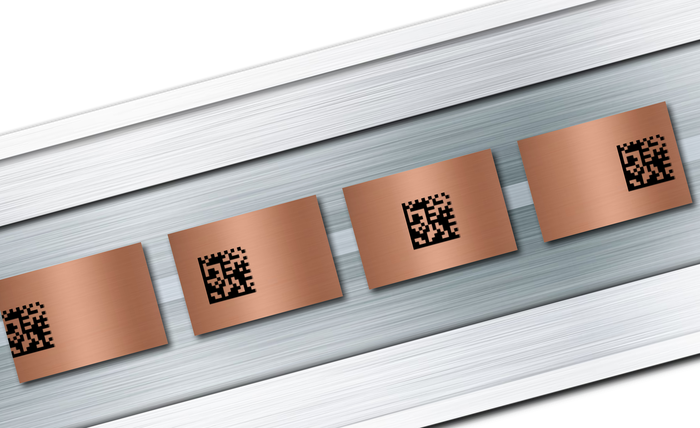
In-motion DPM code reading in the manufacturing industry
Being able to read codes in motion eliminates the need to stop targets on production lines. Although most commonly used for labels, in-motion reading is increasingly being used for direct part marking (DPM) to improve productivity.
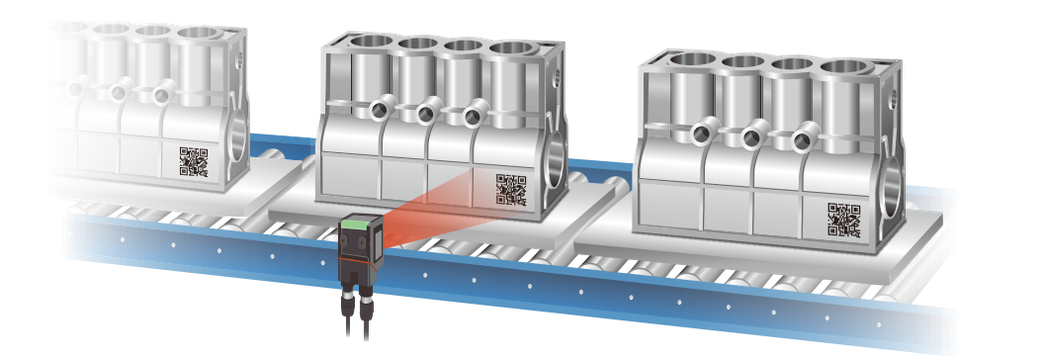
Advantages of in-motion code reading
Because targets do not need to be stopped for reading, takt time can be improved. In-motion reading also reduces hardware and program costs by eliminating the need to add equipment stop mechanisms.
Takt time
Stationary reading
Operation
Stop
Resume operation
In-motion reading
Operation
Initial cost (Hardware/program costs)
Stationary reading
Hardware costs
Program costs
In-motion reading
No additional cost
Requirements for enabling in-motion reading
To ensure stable reading of codes in motion, the code reader must be set up and adjusted appropriately for the code marking and movement speed. There are three major points to consider with in-motion reading.
Point. 1 Exposure time
To prevent blurring when capturing moving codes, the code reader’s exposure time must be set short. If the exposure time is too long, the code will move during exposure, resulting in a blurred image. This is the same as taking long-exposure pictures with a handheld camera.


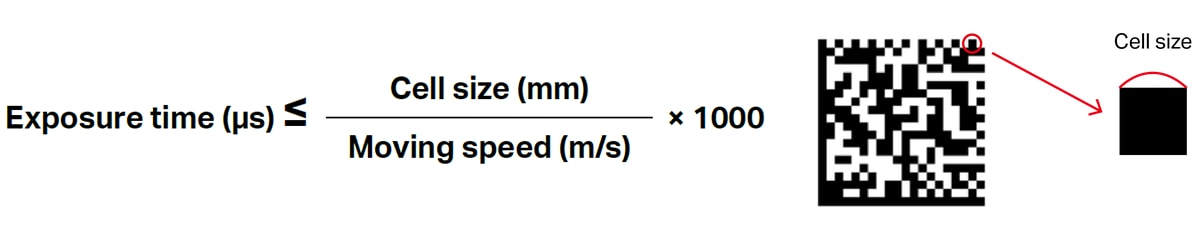
The appropriate exposure time depends on the cell size of the code and the movement speed of the target. To ensure stable reading, the exposure time must be set so that the code doesn’t move more than one cell during imaging. This is expressed by the following formula.
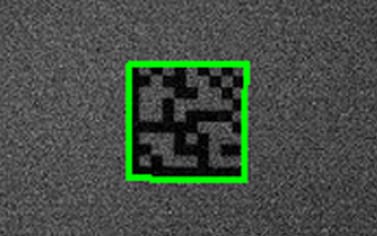
However, if the exposure time is too short, the code reader camera will not be able to capture enough light, resulting in a noisy, hard-to-read code image. Because of this, reading test in advance is essential to ensure stable reading for the movement speed and cell size.

Point. 2 Reading count
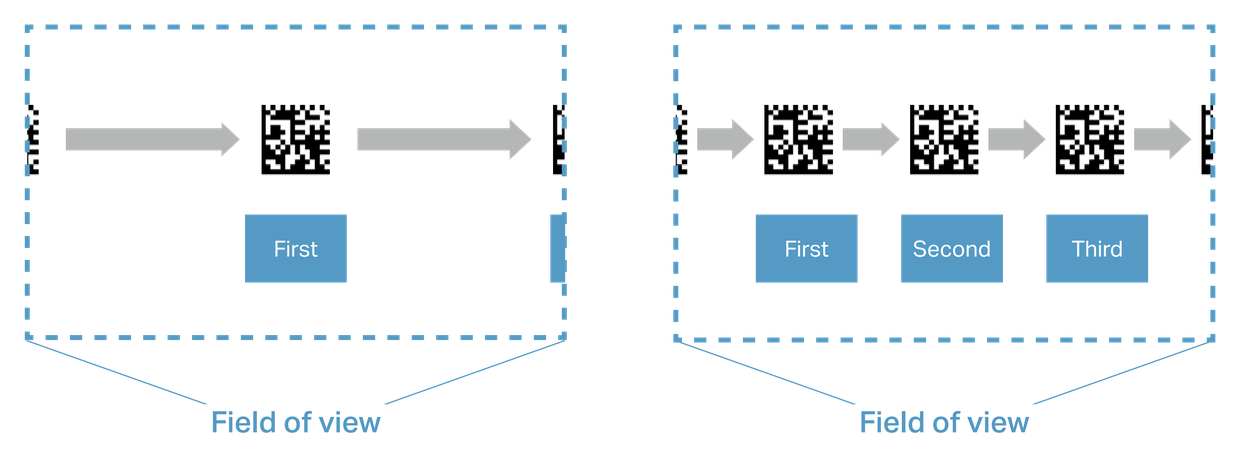
With in-motion reading, the code must be read before it leaves the field of view. The more times a code can be read (reading count), the higher the stability will be. On the other hand, if the reading count is too low, there is a risk of reading failures.
A fast, consistent reading time and a sufficiently wide field of view are important to ensuring a high reading count. Both of these factors will vary depending on the performance of the code reader and the installation conditions.
Small reading count
Many reading count
Point. 3 Start/stop timing
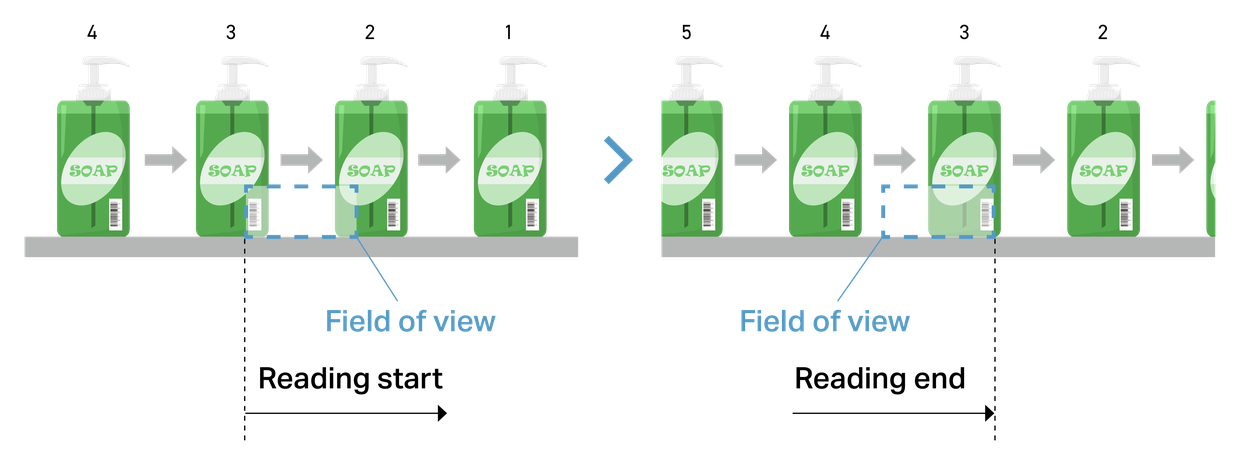
For each reading phase, it is necessary to prevent adjacent targets from being read as well. This requires adjusting the reading start time so that reading starts when the code enters the field of view. The reading stop time should also be adjusted so that the next code does not enter the field of view. The reading timing can be adjusted by various parameters, including the sensor position, PLC program, and timing delay of code reader. Before installation, feasibility should be confirmed based on the field of view, conveyor speed, and other factors by making adjustments during a trial run.
Tips for increasing stability
Before installation
-
1. Code conditions
Determine the code type, code size, and cell size of the codes being read as well as the marking conditions.
These conditions will vary depending on various factors such as the data, marking area, and material. -
2. Conveyor speed
Determine the conveyor speed according to the target type and equipment being used. The code conditions (1) and conveyor speed (2) will determine the exposure time.
-
3. Code reader installation conditions
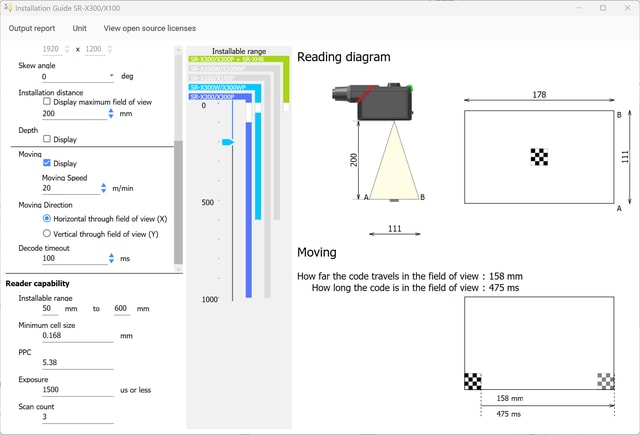
Determine the installation conditions for the code reader. Using a longer installation distance increases the reading field of view and number of readings, but also reduces the code resolution, resulting in a darker image. Use the simulation software to determine the conditions needed to ensure the required resolution and reading count.
-
4. Stationary reading test
Perform stationary reading test under the conditions determined above (1–3). Verify not only readability, but also other factors such as reading condition, stable reading time, etc. If the code can't be read stably, readjust the conditions determined above (1–3).
Installation/trial run
-
5. Timing conditions
Determine the reading timing conditions.
Adjust the reading timing so that the target code can be read properly based on the production line environment. -
6. Stationary reading test
After installing the code reader, verify that codes can be read correctly while stationary.
Any conditions that have changed since the desktop verification (4) can be corrected here. -
7. In-motion reading test
Verify that codes can be read correctly even when in motion.
Any deviation from the set timing conditions (5) can be corrected here.
Operation and maintenance
-
8. Operation monitoring
Monitor the stability of code reading.
If a reading error occurs, the cause of the error can be identified from the surrounding information at the time the error occurred. Various conditions can then be adjusted to improve the situation.

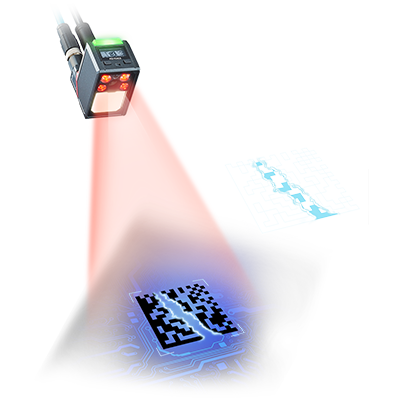
Unparalleled reading stability and speed with support for in-motion DPM code reading
AI-Powered Code ReaderSR-X Series
Impressive reading stability and speed
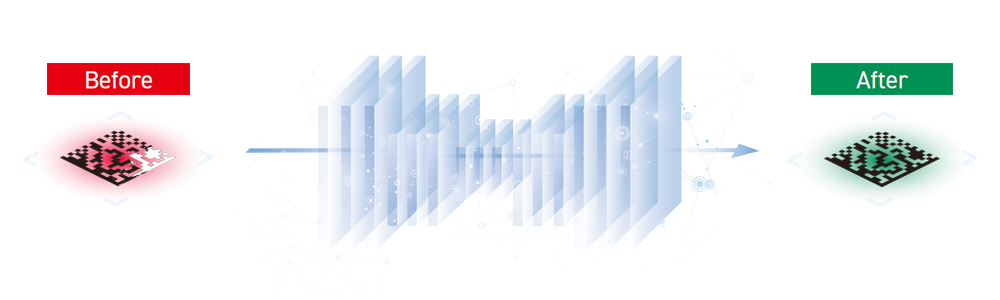
AI filters + 6-core processing + SR-X Drive
Drastically improve reading performance with fast, stable reading even for in-motion DPM codes.
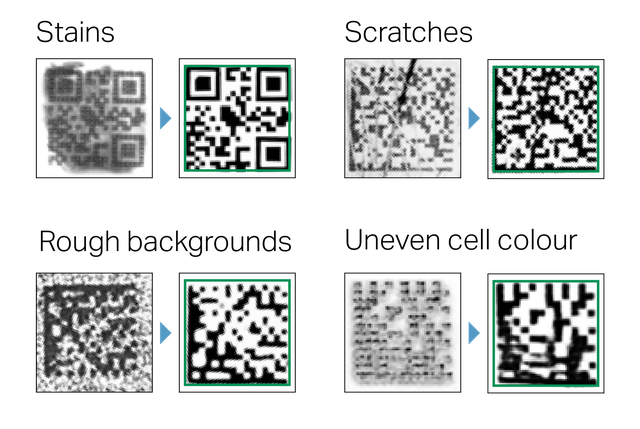
AI filter effect examples
Reliable usability with no need for specialised software
Web Traceability Tool
Monitor operation directly from a Web browser. Saving read status logs helps reduce the time needed for analysis, allowing for faster determination of countermeasures in the event of an error.
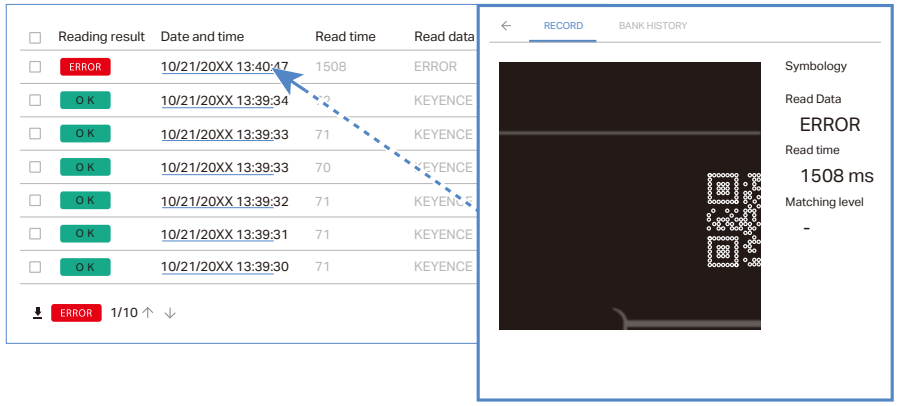
* Cause of error: Hidden code