WHY doesn't MY CODE READER WORK?
The code was printed correctly. Why doesn’t it read?
The quiet zone may be too narrow.
PROBLEM EXAMPLES
| Narrow quiet zone | The only white area is in the 2D code. |
|---|---|
| Influenced by the border | The code is surrounded by a black border. |
| No quiet zone | The code extends to the edge of the label. |
EXPLANATION
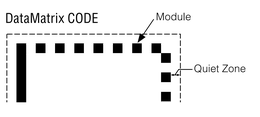
A specific quiet zone is required for each type of 2D code. For example, the quiet zone for DataMatrix codes should be 1 or more times the module size. Modules are the black and white squares that make up the complex code pattern.
THE BEST SOLUTION!
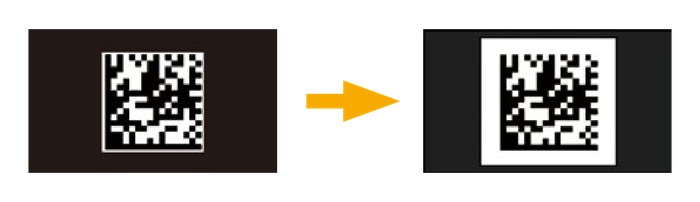
Try placing white paper around the code, cropping it so only the code is visible. If the code is readable after this, then the quiet zone is too narrow.
Consider printing improvements that can ensure a sufficient quiet zone.
Why is it unable to read when only part of the code is damaged?
Alignment pattern may be damaged.
PROBLEM EXAMPLES
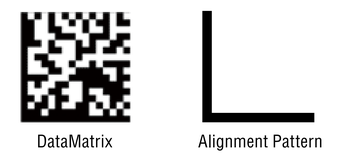
DataMatrix codes are read by first locating the L-shaped frame called the alignment pattern. Due to this, the code cannot be read if the alignment pattern is damaged.
EXPLANATION
The data area of DataMatrix code is bordered by an L-shaped frame called the alignment pattern. Readers capture this pattern to determine the orientation of the code and where to begin decoding. Therefore, if the alignment pattern is damaged, the code becomes unreadable.
THE BEST SOLUTION!
DataMatrix codes have a function called “error correction”. This makes it possible to restore and read data depending on the size of the damage. However, "error correction" is only effective when parts other than the alignment pattern are damaged or worn.
The modules and spaces are different colors and the printing quality is good. Why doesn’t the scanner read the 2D code?
It may be difficult to read due to the color contrast.
EXPLANATION
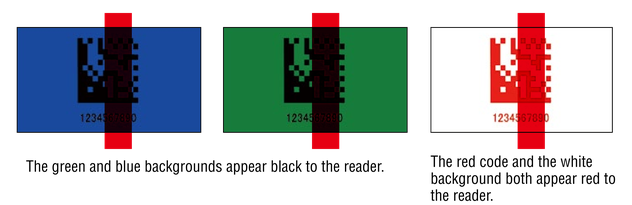
2D code readers perform scans by looking at the contrast between the print pattern and the background. Therefore, scanning cannot be done if it is difficult to distinguish enough contrast. Typically readers scan using red lighting, so the reader sees objects as if they were covered with red film. The example below simulates what the code reader actually sees.
THE BEST SOLUTION!
Consider printing with a color and background combination that have good contrast under red light.
There may be instances where non-red (blue, etc.) external lighting is used to scan. When this is the case, be aware that the color contrast may vary from what is discussed above.
The code reader could read stably during testing, but reading has become unstable in normal operations.
Ambient light may be the cause of the problem.
PROBLEM EXAMPLES
What is ambient light?
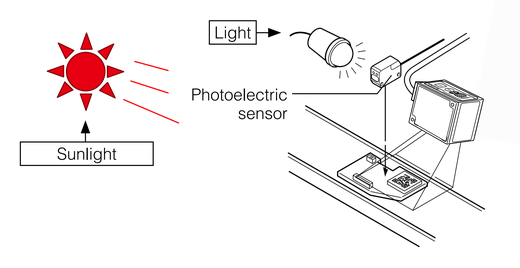
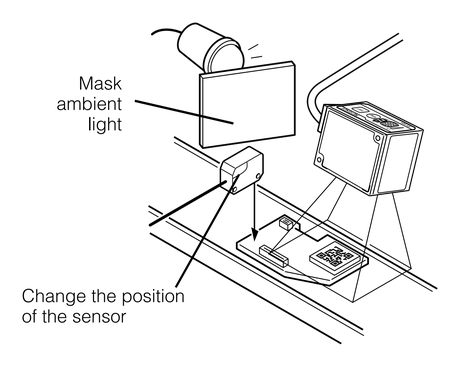
Light from photoelectric sensors, fluorescent lights, and direct sunlight are typical sources of ambient light.
2D code readers use lighting like a camera to perform scanning. Sometimes, when too much ambient light reaches the target or reader, the brightness becomes unequal and results in unstable scanning.
EXPLANATION
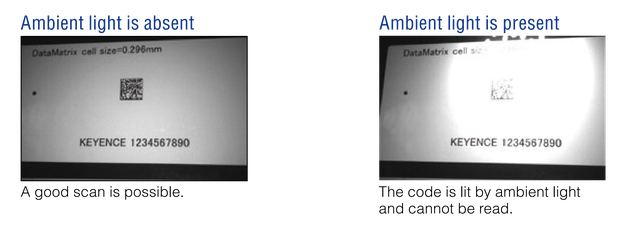
These images display the difference between absent ambient light and excess ambient light. It is easy to see how ambient light can have an adverse affect on the readability of the 2D code.
THE BEST SOLUTION!
Use a light-blocking shield to block ambient light from entering the camera. In order to further ensure stable scanning, create a box setup around the scanning area to completely shield ambient light.
I set the reader to the recommended distance. Why is it completely unable to read codes?
The reader may not be installed at a proper angle, or a reader with polarizing filter may be needed.
PROBLEM EXAMPLES
EXPLANATION
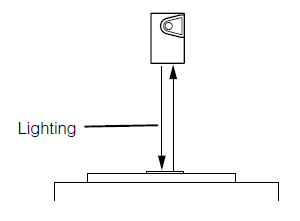
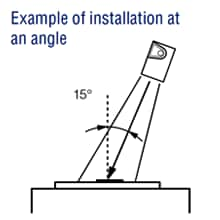
Some 2D code readers are designed to be installed at an inclined angle, while others should be at a perpendicular angle to the target. If not properly installed, stable scanning cannot be performed. Refer to the manual and perform installation that matches the model of your specific reader.
THE BEST SOLUTION!
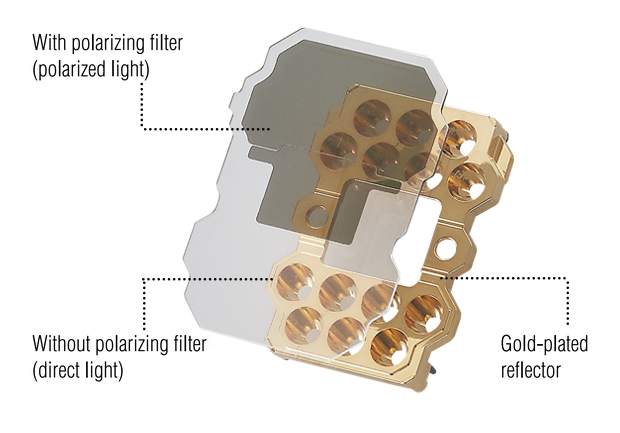
<Polarizing filter of SR-X Series>
Select a model with polarizing filter, and activate it. You will notice the difference in the quality of captured images.
PRODUCT LINEUP
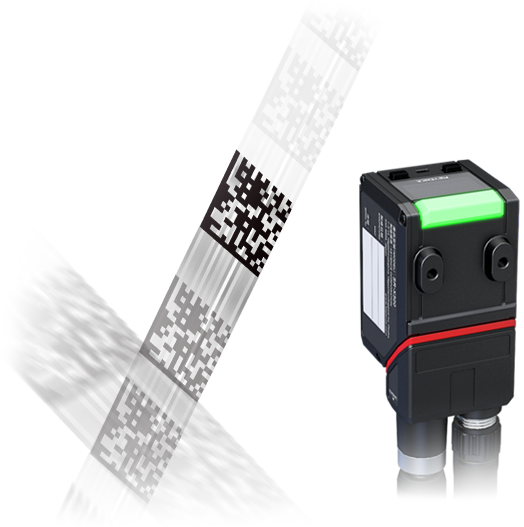
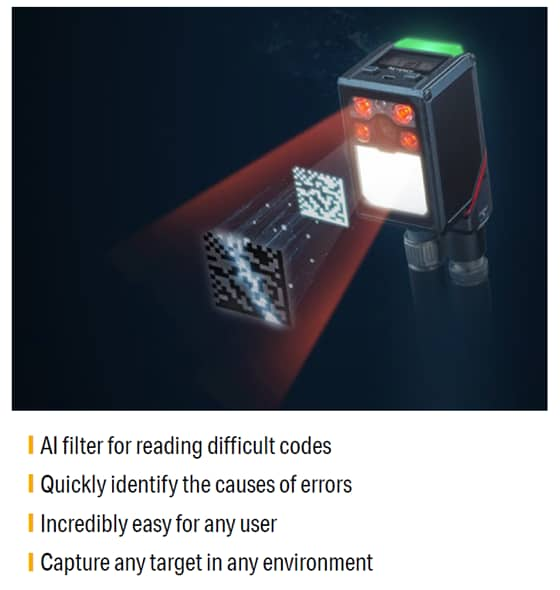
AI-Powered Code Reader SR-X Series
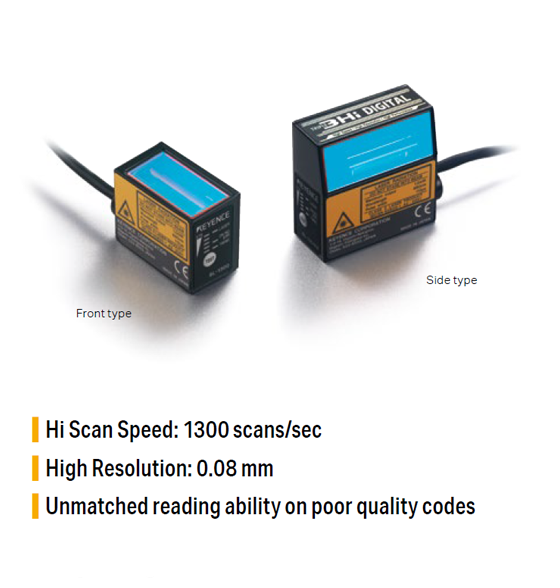
HIGH SPEED BARCODE READER BL-1300 Series