1. Home
  2. RPA Overview
  3. KEYENCE’s RPA Solution

KEYENCE’s RPA Solution AI Navigation RPA | RK Series

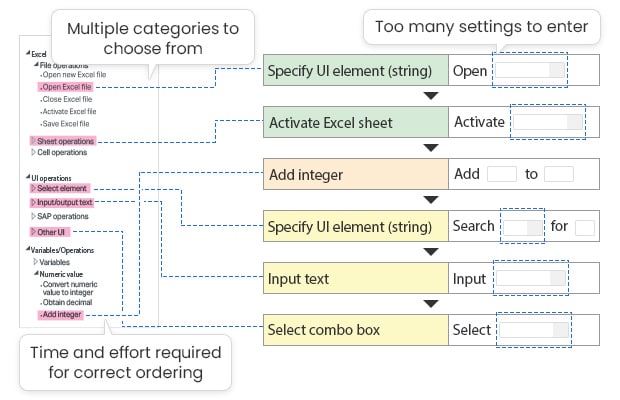
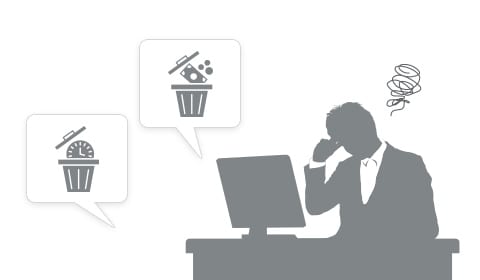
  • Technical jargon makes it hard to know which activity to choose.
  • It isn’t clear if the order of operations is correct, and if the scenario will execute successfully.
  • Every step has to be built manually.

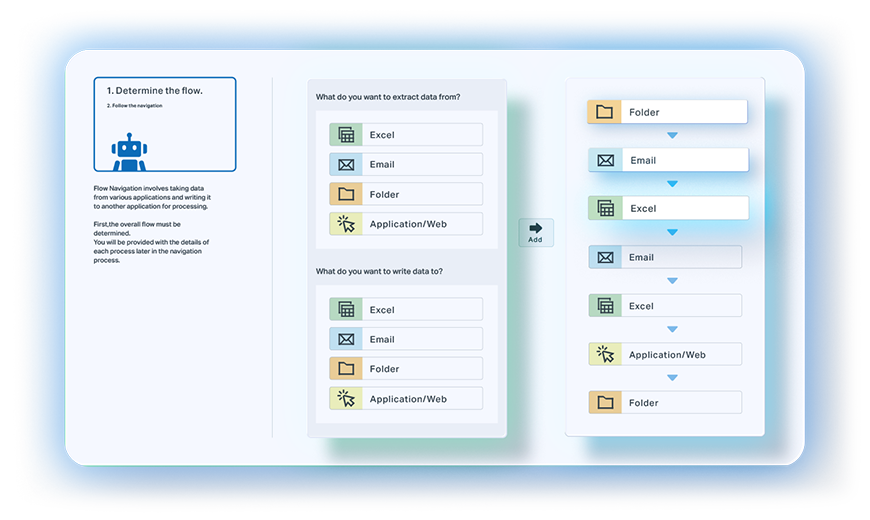
Solutions with AI Navigation RPA Simple 2-step setup

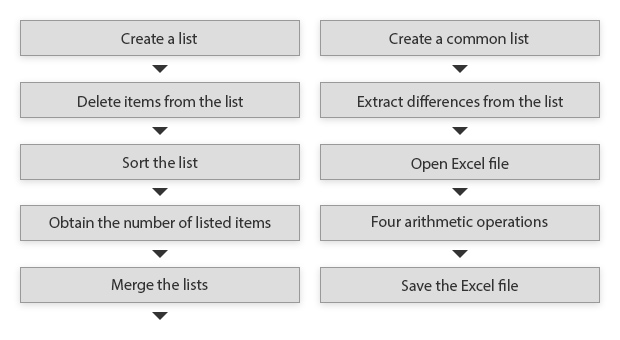
STEP 1 Create the general process flow in the navigation tree
STEP 2 Follow the step-by-step Navigation instructions
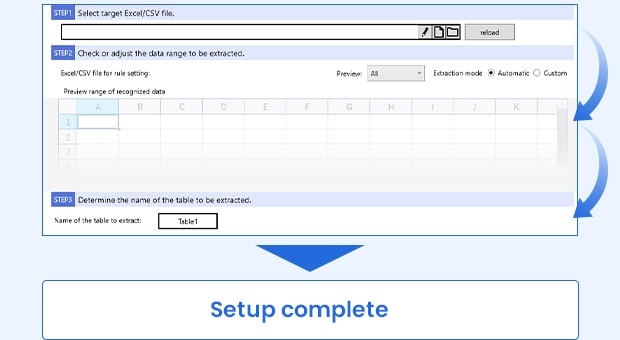
Most people never get past the blank screen, so the automation never gets built.
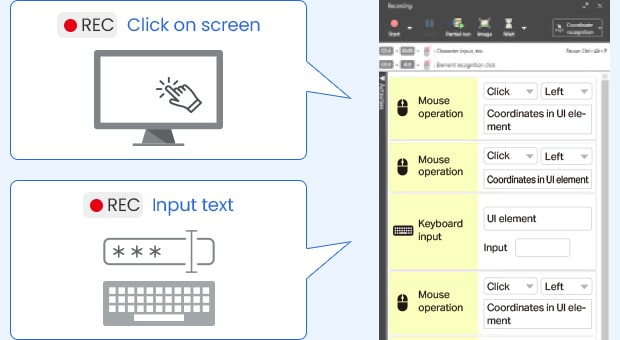
Solutions with AI Navigation RPA Record PC operations for automatic scenario creation

Start recording and do the task the way you normally would. RK Series converts your clicks and keystrokes into a scenario.
Scenarios break after they are built, so people stop trusting them.
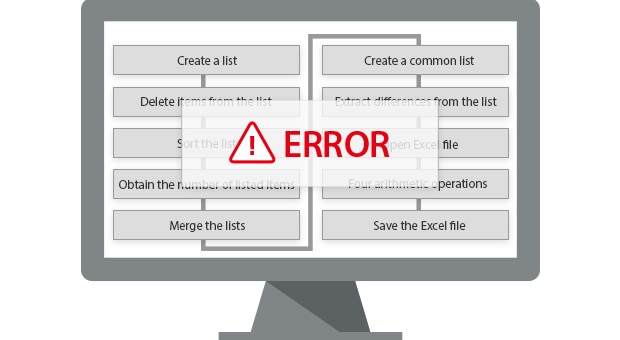
Solutions with AI Navigation RPA Automations that keep working

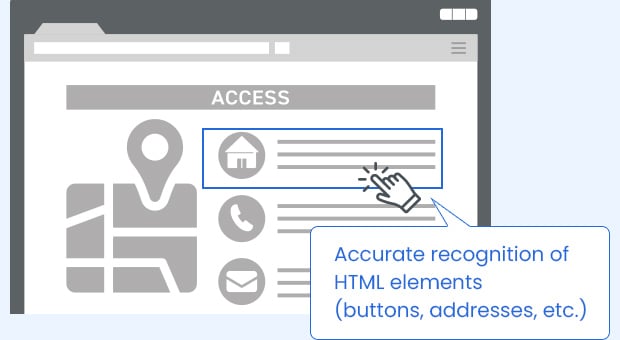
Most RPA tools record screen coordinates, so a small layout change breaks the automation. RK Series recognizes the actual on-screen elements, so scenarios keep running when the screen shifts.
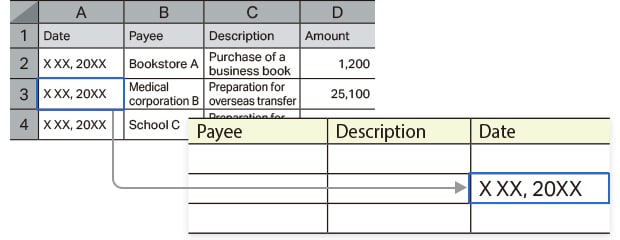
Cell selection is too tedious

Every field has to be mapped by hand, cell by cell. On a file with hundreds of rows, setup takes longer than doing the work manually.
Breaks when the layout changes

Add a row, split a merged cell, or move a column and the automation fails. If two files never matched to begin with, you rebuild from scratch.

The format has changed
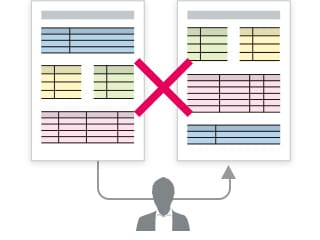
The formats do not match
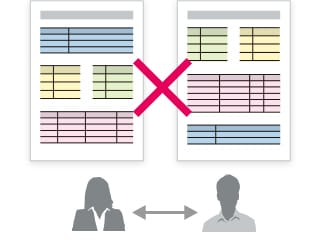
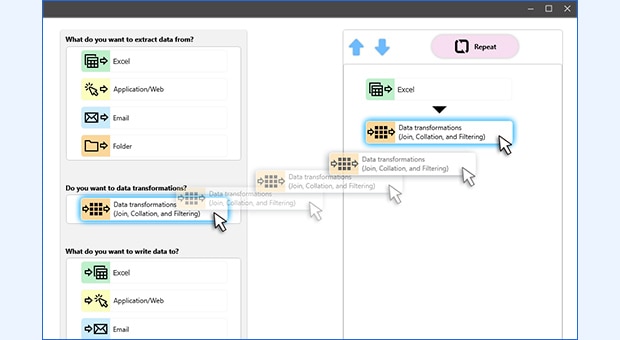
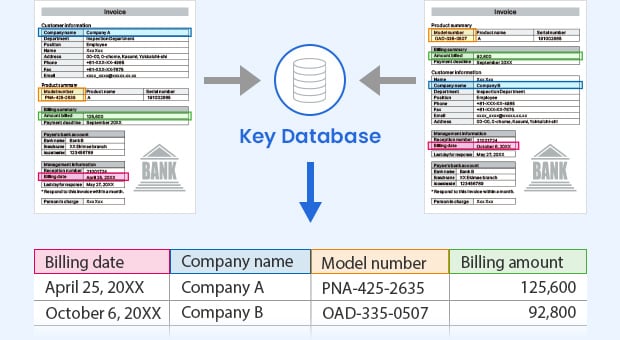
Solutions with AI Navigation RPA Automatically recognize and extract data, whatever the layout

No cell-by-cell mapping. RK Series recognizes the fields and pulls the data out on its own.

Merge, filter, sort, and total the extracted data without a cleanup step first.
Formatting differences are resolved automatically, so nothing gets re-keyed by hand.
When problems take weeks to resolve, people go back to doing it manually.

  • Requires a technical skill set to use
  • Steep learning curve
  • Support costs extra
  • No one to call when something breaks

Solutions with AI Navigation RPA Four kinds of support from KEYENCE, all included at no cost

1 Free onboarding program

A dedicated KEYENCE partner works with you to get your automations running.

AI Navigation RPA

Learning tools that build your skills as you go.

KEYENCE's dedicated professional team

Hands-on training and consulting.

2 Free phone/email support

3 Free virtual consultation

4 Free e-learning
  • Technical jargon makes it hard to know which action to choose.
  • There is no way to tell if the order of operations is right until it fails.
  • Every step has to be built manually.

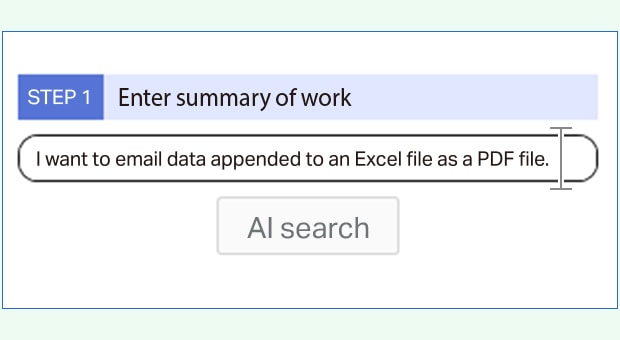
Solutions with AI Navigation RPA Describe the task and AI drafts the scenario

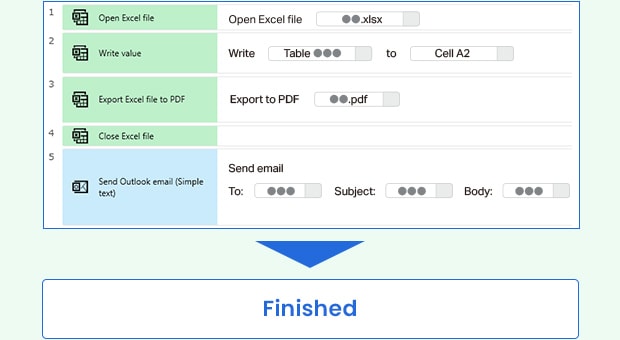
STEP 1 Prompt input Describe the task in plain language and AI generates the scenario outline.

STEP 2 Scenario proposal Fill in the specifics, like recipient and subject line, and the scenario is completed.

  • The scenario stops with an error no one can explain.
  • It runs, but it is inefficient and hard to maintain.
  • No one on the team knows it well enough to help.

Solutions with AI Navigation RPA AI analyzes the existing scenario and identifies areas that can be optimized

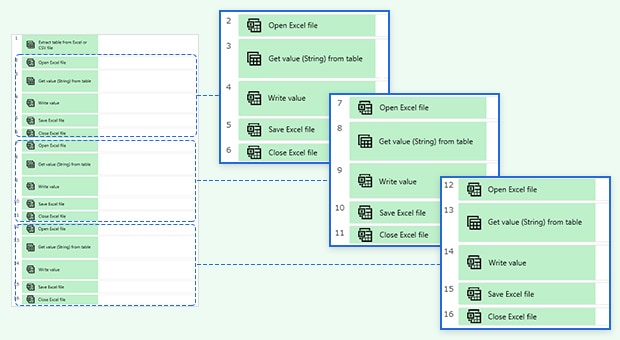
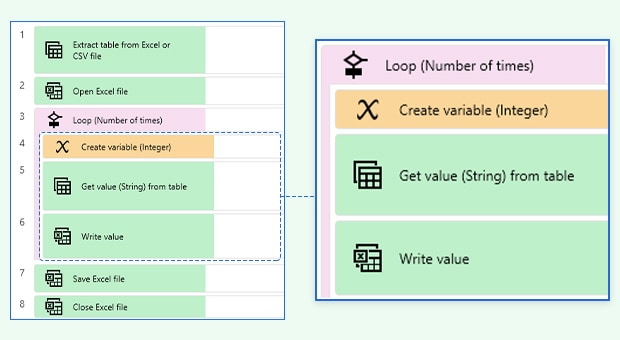
Repeated steps across the scenario

“Loop” function to eliminate unnecessary steps

  • AI reviews finished scenarios and suggests specific improvements.
  • Improvements are not tied to one machine or setup, so scenarios stay stable and easier to maintain.

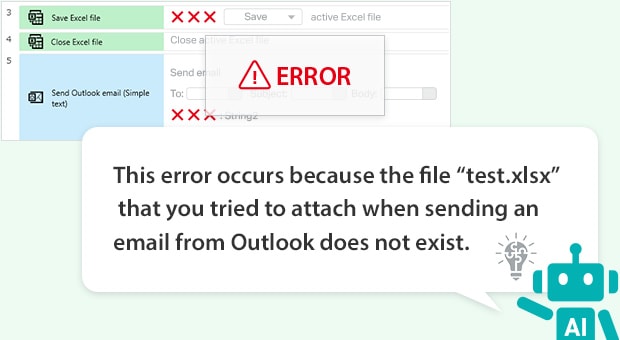
  • The cause of the error is not obvious.
  • Support tickets cost time and money.
  • Slow responses leave the automation down for days.

Solutions with AI Navigation RPA Plain-English explanations of what broke and how to fix it

Error Cause and Solution

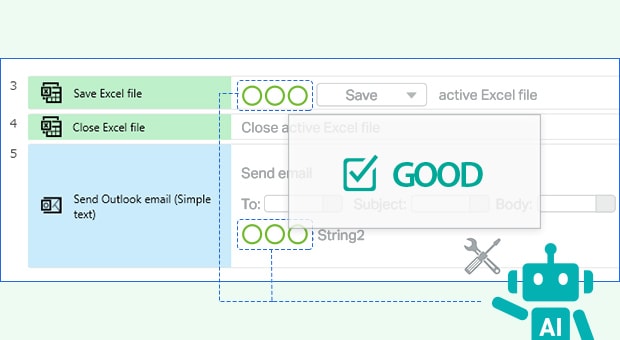
AI explains the error and suggests the fix, so you can resolve it yourself and keep running.

The root cause of errors can easily be corrected using AI

Suggested corrections are stable and efficient, so you can fix the root cause instead of patching around it.

  • Only the person who built it knows how it works.
  • When the process changes, the scenario cannot keep up.
  • Rather than edit it, teams go back to doing the work manually.

Solutions with AI Navigation RPA AI-written summaries anyone on the team can read

Coworkers can understand a scenario without the person who built it, so no one owns it alone.

Works on scenarios that were previously built, not just new ones.

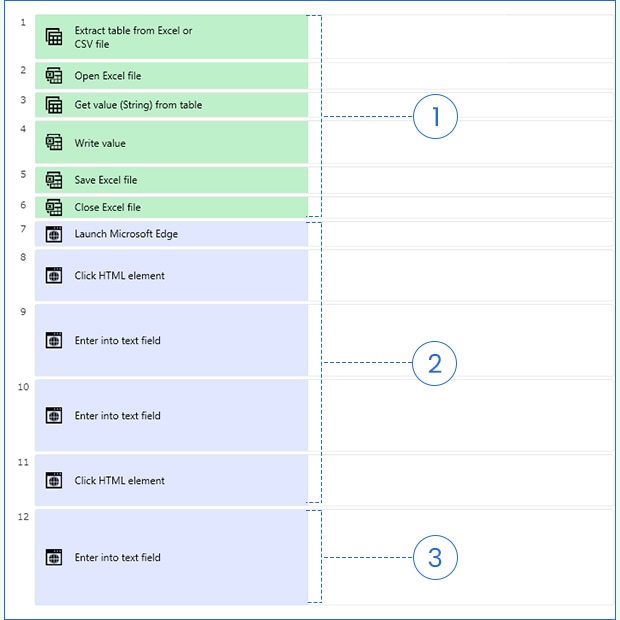
  1. 1
    Excel operation: Extract tables from one Excel file and tabulate them in another Excel file.
  2. 2
    Website login: Enter the ID and password to log into the website.
  3. 3
    Data entry: Enter the tabulated Excel data into the website.

No per-bot pricing. Build as many automations as you want.

Flexible Subscription

No implementation fees

No per-bot or per-scenario charges

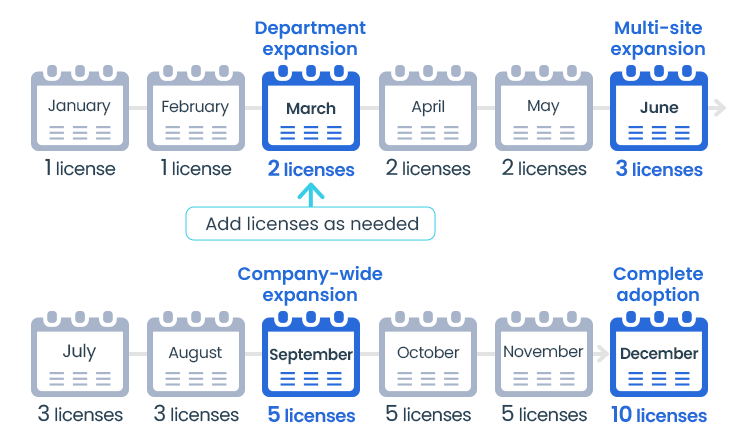
Start with one license. Add more as automation spreads to other teams.

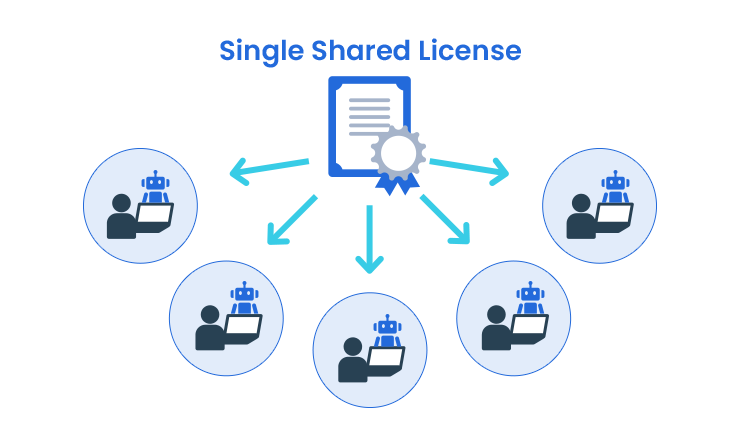
Floating License

Shared across your team

Licenses are not tied to a person or PC. Anyone on the team can use.

Single Shared License

Click here to find out more!