

AI Navigation RPA
RK series

Unique advantages of AI Navigation RPA AI Navigation RPA RK series
Flow Navigation: Two-Step Scenario Creation
Common RPA Problems
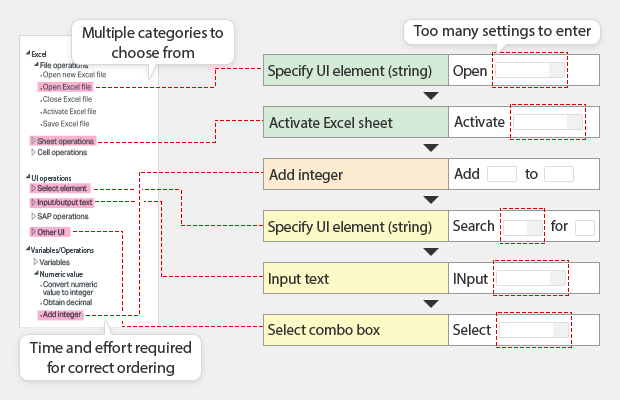
Scenario Creation is Too Difficult
- A lot of technical jargon is used, and it’s difficult to know which action to choose.
- It isn’t clear if the order of operations is correct, and if the scenario will execute successfully.
- Building each step is cumbersome.
Solutions with the RK Series AI Navigation RPA
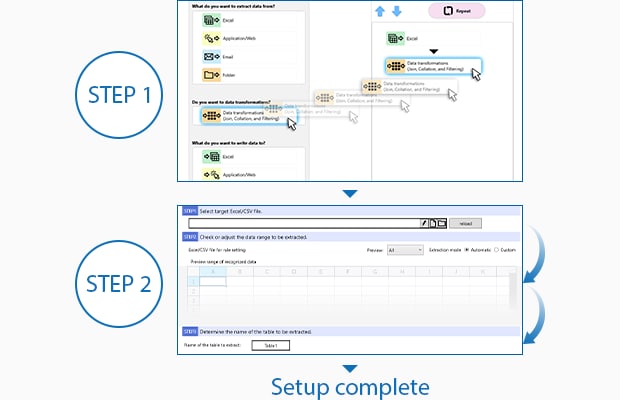
Simple 2-Step Setup
- STEP 1: Create the general process flow in the navigation tree
- STEP 2: Follow the step-by-step Navigation instructions
Smart Process Recording: Automatic Scenario Creation
Common RPA Problems
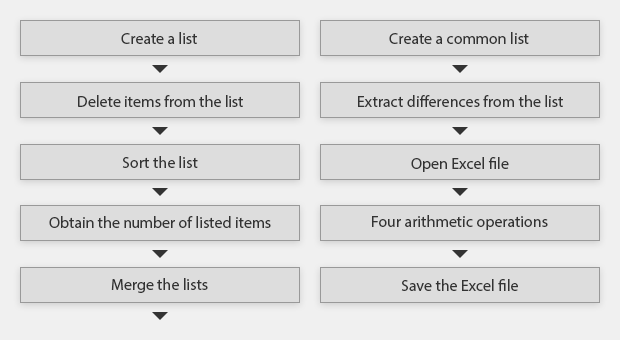
Knowing How to Start is Difficult for Beginners, So They Never Start Automating Their Work.
Solutions with the RK Series AI Navigation RPA
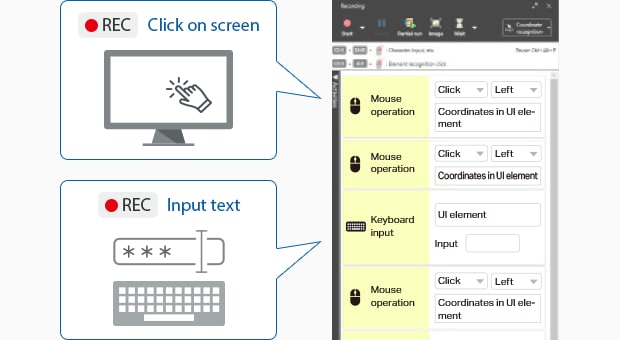
Record PC Operations for Automatic Scenario Creation
Initiate recording and simply perform the task you want to automate. RK then converts the mouse-clicks and keystrokes into a RPA scenario.
Common RPA Problems
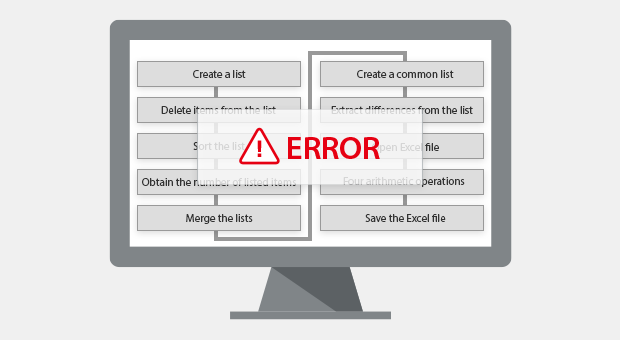
Errors Occur for Created Scenarios, Making Use Unstable.
Solutions with the RK Series AI Navigation RPA
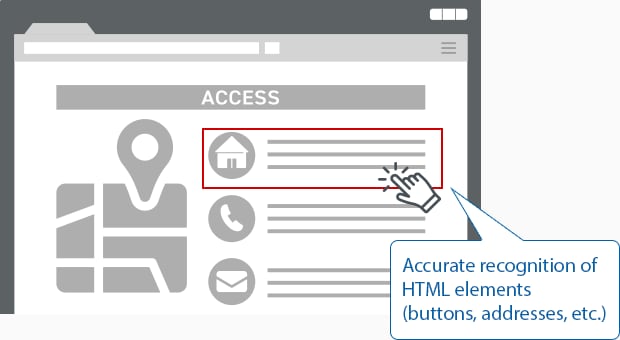
Stable Operation with Recording-Based Scenarios
With conventional RPA solutions, element recognition can be unstable, and sometimes only the on-screen coordinates are recorded, which causes the program to fail when small changes to the operation occur. With RK, advanced element recognition makes it possible to create stable and repeatable automation scenarios.
Key Database: Easily Handle Unstructured Data
Common RPA Problems
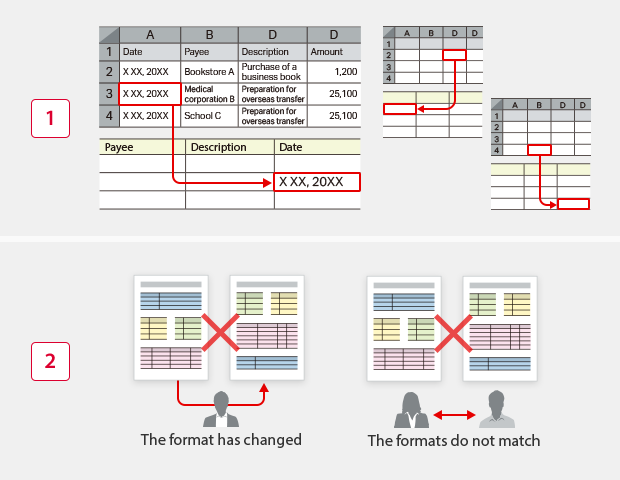
Difficult to Extract and Utilize Excel Data
-
1Cell selection is too tedious
The system requires configuration of settings such as “Input the data in cell A3 to the specified location in the system,” which can get complicated and time-consuming with large data transfers. -
2Susceptible to variations between users and incorrect alignment
Because operations require selecting cells, errors can occur if rows or columns are added, joined cells are split up, or the cell location changes. If the formats do not match from the start, the file will need to be completely rebuilt.
Solutions with the RK Series AI Navigation RPA
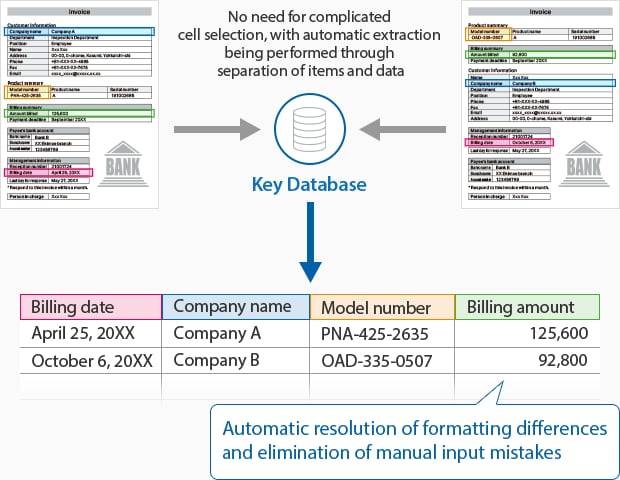
Automatically Recognize and Extract Data in Unstructured Formats
Extracted data can be easily merged with other extracted data, filtered by conditions, sorted, and aggregated, making subsequent tasks easier.
Free Premium Support: Dedicated Onboarding and Continuous Support
Common RPA Problems

Stagnant Adoption Due to Poor Usability
Problems are difficult to resolve, making RPA difficult to use.
- High skill proficiency required for use
- Challenging learning curve
- Additional costs required for support
- Difficult to receive support when issues arise
Solutions with the RK Series AI Navigation RPA
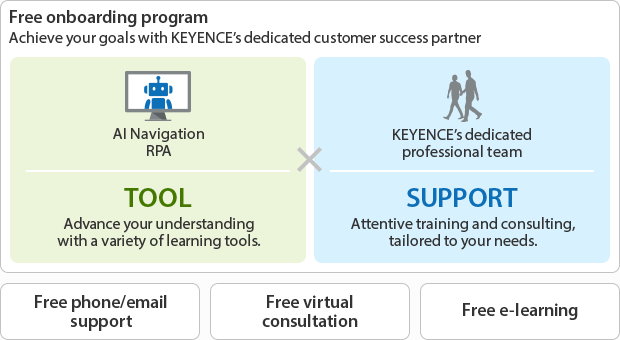
Four Types of Reliable and Free Support from KEYENCE’s Dedicated Professional Team
