RPA (Robotic Process Automation)
Want Automation but Not Ready for AI?
Key Takeaways
- You can start automating without jumping into full AI.
- Simple rule-based tools solve many repetitive tasks fast.
- AI can be added later as your processes mature.
- RPA works across all systems (ERP/CRMs/Spreadsheets).
KEYENCE’s RPA solutions let you automate repetitive tasks today—eliminating manual work, reducing errors, and speeding up workflows—without needing complex AI systems.
How to Streamline Workflows Without Jumping Straight Into AI
You’ve likely heard it a hundred times: “AI is the future.” And while that’s true, many teams are thinking, “That’s great—but we’re not quite ready for AI just yet.”
The good news? You don’t have to be.
Automation doesn’t have to mean artificial intelligence. In fact, for most organizations, the fastest and most effective way to see immediate impact isn’t through AI—it’s through process automation. At KEYENCE, we understand that every organization is at a different stage of digital transformation. That’s why our automation solutions are designed to help you optimize your workflows—whether you’re doing it with AI or without it.
The Difference Between AI and Process Automation
It’s easy to use “AI” and “automation” interchangeably, but they’re not the same thing. Process automation such as Robotic Process Automation (RPA) follows set rules. It performs repetitive tasks the same way every time—like entering data, copying information between systems, or generating reports. AI, on the other hand, learns and adapts. It analyzes data, recognizes patterns, and can even make predictions. So, if your goal is to eliminate tedious manual work, you can get there quickly without needing AI at all.
Start with RPA—Then Scale with AI
Think of process automation as the foundation. Before you layer on AI-driven decision-making, you need streamlined workflows that run smoothly from end to end.
Here’s what automation can help you do right now:
- Eliminate manual data entry and reduce human errors
- Automate repetitive computer tasks like copying, pasting, or updating systems
- Process documents faster by extracting key data automatically
- Connect workflows across multiple systems, so information flows seamlessly
The most successful automation strategies begin with RPA. It delivers quick wins by removing repetitive work and improving accuracy across everyday tasks.
Once your processes are standardized and running efficiently, AI can be layered in to handle more complex situations—like reading handwritten forms, identifying trends in data, or making predictive recommendations.
For example:
- RPA can extract data from invoices.
- AI can classify those invoices by type, vendor, or amount pattern.
This step-by-step approach allows you to scale your automation at your own pace—without overhauling existing systems.
In short, automation takes care of the doing, while AI takes care of the thinking. Most teams simply need more doing right now.
Common Misconception: “Automation = Complicated”
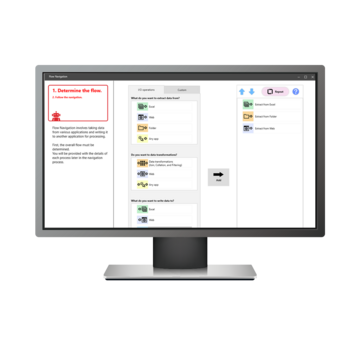
You might picture automation as something that requires coding or IT expertise—but modern tools have changed that. With no-code process automation, anyone can create workflows just by setting simple rules.
For example:
“When a new invoice arrives in this folder, extract the amount and post it to our accounting software.”
“When a customer fills out this form, automatically update their record in the CRM.”
You don’t need to build an AI model for that—you just need the right automation tool.
The Real Payoff: Time Back and Fewer Errors
Teams that adopt automation early often see results within weeks:
- Work that used to take hours can be done in minutes
- Employees spend less time on repetitive tasks and more time on meaningful work
- Processes become consistent, traceable, and error-free
And the best part? When you’re ready to explore AI, your processes are already standardized—making it much easier to integrate intelligent decision-making later.

What can KEYENCE Help You Automate?
KEYENCE’s automation tools are designed to handle a wide range of everyday business processes—so your team can spend less time on manual work and more time on what matters most.
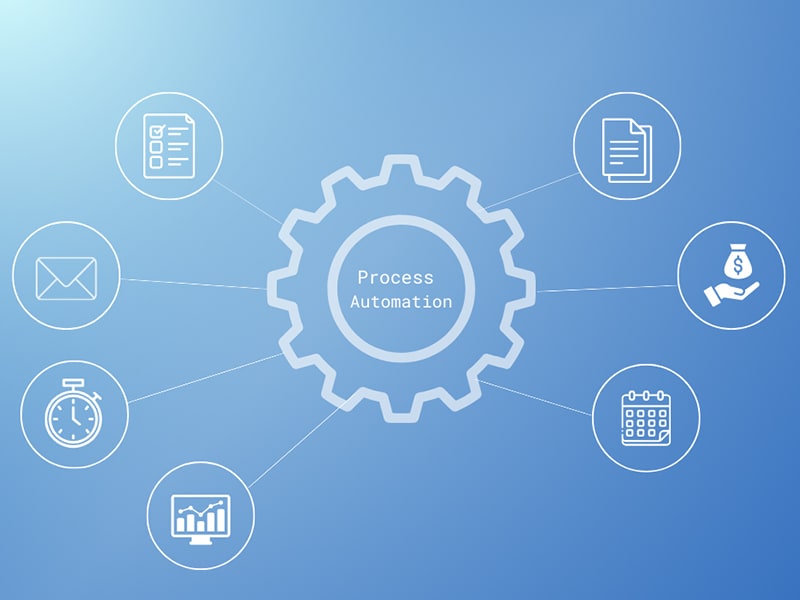
Here are just a few examples of tasks you can automate:
Whether you’re focused on accounting, operations, or administrative efficiency, KEYENCE provides a flexible automation platform that fits your workflow—no coding required.
Getting Started
If you’re new to automation, the best approach is to start small. Identify repetitive, rule-based auto in areas like accounting, operations, or customer support, and focus on automating those first.
With KEYENCE’s process automation platform, getting started is simple—no coding or complex integrations required. You can choose RPA with AI or RPA without AI, so you’re never forced to adopt AI before you’re ready, but it’s always available when you are.
RPA Case Studies
KEYENCE’s automation tools can be applied across virtually any department to eliminate repetitive work, reduce errors, and keep processes moving without constant human intervention. Below are just a few examples of how different teams leverage RPA to improve efficiency and free employees to focus on higher-value tasks.
- Finance & Accounting: Automates transactional processes, helping streamline close cycles and reduce data entry.
- Retail: Maintains accurate inventory and order status for faster fulfillment.
- Manufacturing: Supports production planning and supply chain coordination.
- Healthcare: Eases documentation workloads by moving data into EHRs.
- HR: Handles time-tracking validation, onboarding steps, and payroll preparation.
- Operations: Routes documents, monitors queues, and pushes work forward.
- Customer Service: Automates common case handling to speed up resolution.
- IT Support: Manages system maintenance tasks, checks, and updates.
See a Live Demo:
Curious how to automate repetitive, manual work without AI or coding? KEYENCE’s RPA makes it easy to streamline tasks across teams and systems, with fast setup, flexible licensing, and hands-on support. Book a personalized demo to see how RPA can fit your workflows.

Frequently Asked Questions
What Does “Automation Without AI” Mean?
Automation without AI uses rule-based software to complete repetitive tasks by following predefined instructions. It doesn’t try to “learn” or make predictions—just executes steps reliably every time.
How Is Traditional Automation Different from AI-Driven Automation?
Traditional automation follows structured rules and workflows. AI-driven automation analyzes patterns, adapts, and makes judgment-based decisions. Most day-to-day accounting work is rules-based, so AI isn’t necessary.
What Tasks Can Be Automated Without Using AI?
Automation without AI handles repetitive, rules-based work by following predefined instructions.
These workflows exist across nearly every team or department. Examples include:
- Collecting and organizing incoming documents or files
- Entering data between systems (ERP, CRM, HRIS, databases, spreadsheets)
- Cross-checking or reconciling data between sources
- Preparing routine reports or weekly summaries
- Creating new vendor, customer, or employee profiles
- Scheduling routine tasks—payments, reminders, approvals, etc.
- Sending automatic emails or notifications
- Standardized form completion
- Moving files to shared folders or labeling documents
- Triggering follow-up tasks after a form is submitted
- Generating and routing tickets or support requests
Can Automation Replace Workers?
No. Automation handles repetitive admin tasks so your team can focus on strategic work like analysis, forecasting, and advising teams.
Do I Need Coding Skills to Automate Accounting Workflows?
No—KEYENCE’s RPA uses no-code interfaces, so anyone can build automations without programming knowledge.
How Long Does It Take to Implement Non-AI Automation Tools?
Typically days or weeks—not months—since no complex modeling or system overhauls are required.
Does Automation Work with My Existing Software?
Yes. KEYENCE RPA operates at the surface of your computer, which means it can interact with virtually any software platform, ERP, or spreadsheet—whether it’s QuickBooks, NetSuite, SAP, or other systems. No special APIs or deep integrations are required, making it easy to automate workflows across any department or application your team uses.
Is Automating Processes Scalable as My Business Grows?
Yes. Once workflows are built, they can be expanded or duplicated across processes, departments, or teams as volume increases.