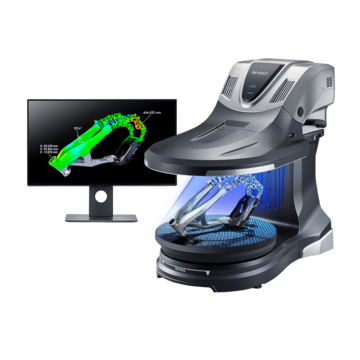
How to Choose a Desktop 3D Scanner for Precision Inspection
This guide walks you through everything you need to know in terms of how to choose a desktop 3D scanner. Whether you're evaluating options for quality control , reverse engineering, or product development, you'll find clear guidance on desktop scanner types, key selection criteria, and the trade-offs worth thinking about before you commit.
Key Takeaways
- The best desktop 3D scanner depends on your application, required accuracy, object size, and scanning environment.
- Scanner accuracy and resolution are not the same—accuracy affects measurement precision while resolution captures fine detail.
- Software, ease of use, and total cost of ownership are just as important as hardware specifications.
- Desktop 3D scanners are ideal for inspecting small to medium-sized parts in controlled environments where high accuracy and repeatability are required.
What to Consider Before Buying a Desktop 3D Scanner
A desktop 3D scanner is a big investment, and the right choice depends on what you're scanning and why. Desktop systems are best suited for small to medium-sized parts that require high accuracy in a controlled environment.
Are you inspecting smaller, high-precision parts or large items like turbine components or car bodies? The right scanner can be heavily dependent on that.
Budget matters beyond the purchase price. Include training, service costs, support, and software licenses. Some scanners seem affordable up front but are expensive in the long term.
Key Factors for Choosing the Right 3D Scanner
1. Accuracy and Resolution:
Accuracy is how closely a desktop 3D scanner's measurements match an object's true dimensions. A higher accuracy gives you more reliable measurements.
Resolution is the smallest surface feature a desktop 3D scanner can detect. Higher resolution gives you more detail on small features.
Accuracy and resolution are related but distinct: a scanner can be accurate in overall dimensions yet miss small surface details if its resolution is low. Both are important to get a quality scan.
2. Ease of Use
Even with great specs, a desktop 3D scanner that takes an hour to set up isn't practical. Many scanners still require placing markers on your part or moving large arms or tripods.
Consider who will use the scanner on a regular basis. A simple interface and guided workflow reduce the chance of error and variability.
3. Price and Total Cost of Ownership
The purchase price is just the start and doesn't tell the whole story. Calibration service, software subscriptions, training, and support add to lifetime cost, so ask vendors for a detailed breakdown of what's included.
Still wondering how to choose a desktop 3D scanner? Explore the full 3D scanner product range.
4. Part Size and Portability
Some scanners are built for lab use, and others are designed for measuring parts on the production floor. There is no one-size-fits-all when part sizes vary a lot. Accuracy, resolution, and portability can all vary depending on the size of the part you're trying to measure.
Desktop 3D scanners are generally best for small to medium-sized components that fit within a fixed scanning area. If you frequently inspect larger parts, a portable or handheld scanner may be a better choice.
Consider the WM Series if you're inspecting parts over three feet and the VL Series if you are inspecting parts three feet or less.
5. Scanning Speed
In manufacturing, a scanner's everyday usefulness comes down to speed. Even the most accurate desktop 3D scanner won't work if it takes 60 minutes to scan a part that needs checking every two minutes. Scan times can vary on a single scanner. Part size, geometry, and resolution can all have an effect on scan times.
6. Software
The scanner captures the data, but software turns that data into value. Check what software is included and how many licenses are given, the CAD export options , and if it offers automatic reporting or GD&T analysis. A great desktop 3D scanner with poor software creates friction at every step.
Frequently Asked Questions
Q Desktop vs. handheld 3D scanner systems: which is better?
A
In general, neither is superior, and it depends on what you're looking for. While desktop systems typically have higher resolution, accuracy, and repeatability for small to medium-sized parts, handheld scanners are better suited for in-process checks and larger objects. The types of parts and where you want to measure them will determine the best option.
Q What type of desktop 3D scanner is best for reverse engineering?
A
Because structured-light desktop 3D scanners can quickly capture dense, precise data, they are frequently used in reverse engineering for small to medium-sized parts. When the object is big or difficult to place within a desktop scanning area, handheld laser scanners are also a good choice.
Q What is the best desktop 3D scanner for beginners?
A
Choose a desktop 3D scanner with simple software, automated calibration, and a guided workflow. These features reduce the learning curve by letting users get accurate results without deep metrology knowledge.
Q What is the difference between desktop 3D scanner accuracy and resolution?
A
Accuracy measures how closely the desktop scanner's output matches the true dimensions of an object. Desktop 3D scanner resolution refers to the smallest surface detail the scanner can capture. Both need to suit your application, as they address different aspects of scan quality.