Read-Back Verification at the Marking Station: OCR, OCV, and Code Checks for Every Unit on Medical and Pharma Lines
On medical and pharmaceutical lines, the reader almost never works alone. It sits right behind the marking laser or the inkjet printer and answers the same question for every unit: is what was printed on the cap, tube, blister, or folding carton correct? The requirement behind it comes from the audit or from the plant's customer, and it doesn't say "readable." It says "verified, for every unit, with proof." This article describes read-back verification at the station that applied the content, in the order a line runs into it, from the difference between reading and verifying to the reaction on a fail.
Key Takeaways
- Reading reports that a code was decoded. Verifying compares the content against the target value for that unit. That target value has to come from the system of record, not from the same manual entry that fed the marker. Otherwise the printer and the camera confirm each other even when the entry was wrong.
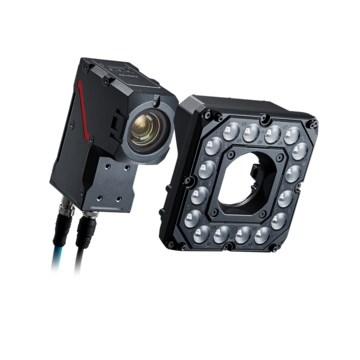
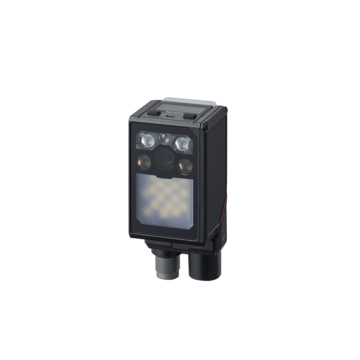
- For embossed characters, text on a curved cap, and prints offset between two print heads, the AI OCR in the VS Series all-in-one camera with built-in AI is taught on sample images of the real prints, with inspection times of 150 to 350 ms in real applications, depending on character count, lighting, and field of view.
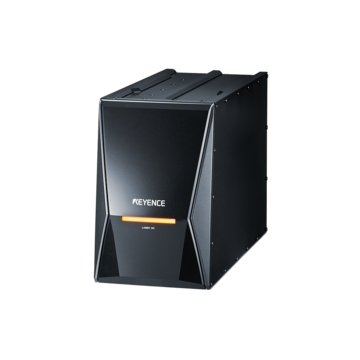
- A Pharmacode and a DMC are captured in one read when the SR-X Series AI code reader runs through a parameter bank with several read settings and returns its own error code for each bank that didn't read, so the controller knows which of the two codes was missing.
- The matching level, from 0 to 100 for each read, is an indicator in the pharma line, not a pass/fail result. Trended by lot, it shows a print head wearing out or the laser focus drifting before the first no-read stops the line, and it can later be traced to the unit where the print was borderline.
- The record for each unit consists of the content read, the comparison result, the match level, and the image the decision was made on. The camera stores images by FTP, results go over the network to the controller or plant software, and the file name and unit assignment come from the controller so that image and data record carry the same key.
Reading or Verifying: Not Whether a Code Is There, but Whether the Content Is Right
A reader reports that it decoded a code and outputs its content. That is reading. Verifying starts after that. The content that was read is compared against the target value, which comes from the order, the batch record, or the marker's controller for that unit. For plain text, the same difference is called OCR versus OCV. OCR recognizes characters and returns a string. OCV checks whether that string matches the expected text, such as the lot number and expiration date the printer is printing at that moment. For a deeper explanation, see KEYENCE's guide to OCR vs. OCV.
In practice, the real work is in the target value. It has to come from the system of record, not from the same manual entry the marker takes its content from. Otherwise the printer and the camera confirm each other even when the entry was wrong. Only the comparison against that target value, logged for every unit, turns a read into a verification.
Plain Text on Caps, Tubes, and Blisters: AI OCR in 150 to 350 ms
The real plain-text cases sit close together. On a vial cap about 0.9 to 1.3 inches in diameter with changing height, the print has to be checked in 250 ms. On a nasal spray, you have 150 ms per part, and the customer explicitly requires a check in line with 21 CFR Part 11. On a secondary package, code and plain text on several lines have to be evaluated in under 350 ms. And at a manual station, the embossed lot on tablet blisters is read.
For these tasks, the VS Series all-in-one camera with built-in AI is the first choice, because the AI OCR runs on it. The difference from classic OCR shows up in the cases that are common on a pharma line: embossed rather than printed characters, text on a curved cap, and a print that sits slightly offset between two print heads. The AI OCR is taught on sample images of the real prints and reads the string. The comparison with the target value is the second step and is logged as its own result. The times of 150 to 350 ms are values from real applications. They depend on character count, lighting, and field of view and should be confirmed in a test on real parts. For an overview, see KEYENCE's page on OCR verification and character inspection.
Pharmacode and DMC in One Pass: Parameter Bank and Bank Switching
Many pharma packages carry two codes with different jobs: the Pharmacode for packaging material control, and a DMC with product code, lot, expiration, and serial number. Both should be captured in one read, often with the plain text next to them. The SR-X Series AI code reader handles this with a parameter bank: several stored read settings that run within a single read, with bank switching between the printed label code and the directly marked code when both alternate at the same station. A "codes to read" setting defines how many codes a read has to contain and whether all of them have to be detected. A bank that didn't read returns its own error code, so the controller knows which of the two codes was missing.
Two settings should always be checked at a pharma station. The setting that prevents duplicate reads blocks the repeat of the same code, so a unit that was captured twice in the trigger doesn't count as two units. And the decode timeout doesn't automatically end in a no-read. It starts the next read. On a tube line running 200 cycles per minute with an occasionally empty nest, the presence of the unit therefore has to go into the evaluation as its own signal. Otherwise an empty nest becomes a read error, or a read error becomes an empty nest.
Glare, Embossing, Transparent Caps: When Something Sits Between the Reader and the Content
Two optical situations come up again and again. A DMC on a pharma bottle is read through a plastic cap at about 390 feet per minute, and the cap's reflection is the problem, not the code. An embossed lot on a blister has no color contrast, only shadows.
The same order applies to both: lighting before software. Use polarization against glare, side or diffuse light for embossed characters, and a reading distance that pushes the reflection out of the field of view. The SR-X300 version of the SR-X Series code reader covers reading distances of about 2.8 to 39 inches, with a smallest 2D cell of 0.0009 inch. For 2D codes that stay weak despite lighting, the SR-X300 Series has an AI filter, which matches against a database of more than 100,000 images. It lengthens decode time, so it is planned into the cycle and not treated as a reserve.
The Match Level as an Early Warning: Spotting Drift Before the No-Read Comes
A reader that only reports good or bad sees print deterioration only once it has become a no-read. The SR-X Series code reader can attach a match level from 0 to 100 to each read, indicating readability. Where the customer specification names a grading to a standard, ISO/IEC 15415 for printed codes and ISO/IEC TR 29158 for directly marked ones, checking code quality is a separate function, on the SR-X as on the SR-2000 Series 1D/2D code reader. For the basics, see KEYENCE's overview of code verification standards. Code grading basics aren't the topic here. On a pharma line, the value is an indicator, not a pass/fail result.
It is used as a trend. If the match level falls slowly over a lot, a print head is wearing, the laser focus is drifting, or the film is changing, long before the first no-read stops the line. If the value is logged for every unit, you can later trace the point of deterioration to the unit where the print was borderline.
Label Web at 1,640 Feet Per Minute: The Stationary Verification Reader on a Sample Code
One special case from the records is a label manufacturer that has to prove the readability of its printed codes to a pharma customer while the web runs at about 1,640 feet per minute. Reading every code at that speed is a different task from read-back on the packaging line, and in the documented case it wasn't the proposed approach. The proposal was instead to use a stationary-mounted SR-X Series code reader to read a sample code from the roll under defined conditions and file the match level as the proof value for the roll.
That is a compromise, and it belongs in the agreement with the pharma customer as one: the code quality of the roll is proven through a sample. Where every unit is required, the check happens on the customer's packaging line.
Image for Every Unit, Result Over TCP/IP: What Goes Into Your Own Software
What the auditor wants to see isn't the good signal at the controller. It is the record for the unit. In real applications, it consists of the content read, the comparison result, the matching level, and the image the decision was made on. The VS Series all-in-one camera stores an image for each unit on a server by FTP and sends results over EtherNet/IP, PROFINET, EtherCAT, or a TCP/IP connection to the controller or directly to the plant's software. The code reader delivers content, result, and match level for each read over the network.
For trays and nests with many codes, several code readers cover the field together. In a master-slave setup, the master judges all devices, and the controller gets one result per tray without having to merge partial results. The image's file name and the unit assignment come from the controller, so that image and data record carry the same key.
Rejecting on a Fail and the Limit of Part 11
On a fail at a marking station, there are two reactions: reject the unit or stop the line. Rejecting is the normal case for a faulty unit. You stop when the target value itself isn't plausible, or when the match level falls below the limit over several units, because then the marker is the problem. Both rules sit in the controller and are accepted with limit samples, including deliberately misprinted units and empty nests.
Where 21 CFR Part 11 is required in the records, the requirement applies to the software that receives, stores, and protects the results and images from changes. The camera and code reader create the data record. The receiving system decides who may change it and how a change is logged.
Frequently Asked Questions
Q What is the difference between OCR and OCV at the marking station?
A
OCR recognizes the printed or embossed characters and returns a string. OCV compares that string with the target value the unit should carry, such as lot and expiration date from the order. Only the comparison with a target value from the system of record turns a read into a verification.
Q How fast can plain text on caps or tubes be checked?
A
In real applications, the times run from 150 ms on a nasal spray to 350 ms for code and plain text on a secondary package, with 250 ms on a vial cap in between. The time depends on character count, lighting, and field of view and should be confirmed in a test on real parts.
Q Can a Pharmacode and a Data Matrix code be captured in one read?
A
Yes. The SR-X Series AI code reader runs through a parameter bank with several read settings within a single read and reports its own error code for each bank that didn't read. A "codes to read" setting defines how many codes are expected per read.
Q What is the match level for if the code is read anyway?
A
It shows readability for each read on a scale of 0 to 100 and makes a slow deterioration of the print visible before the first no-read occurs. Stored as a trend by lot, it can later be traced to the unit where the print was borderline.
Q Are the camera and code reader Part 11 compliant?
A
The requirement in 21 CFR Part 11 applies to the system that stores results and images, protects them from changes, and logs access. The camera and code reader create the data record for each unit and pass it over the network. Compliance is demonstrated for the receiving, validated system.