Optical Comparator (Profile Projector)
Understanding Fixturing in Manufacturing and Inspection
Key Takeaways
- Fixturing determines measurement and machining accuracy by consistently locating parts to defined datums.
- Jigs both locate and guide tools; fixtures only locate—use jigs for mechanical tool guidance, fixtures for CNC.
- Round parts need chucks, collets, or custom jaws to prevent rotation and ensure concentric alignment during turning.
- Design fixtures from part datums and production needs; inspection fixtures must match measurement system orientation.
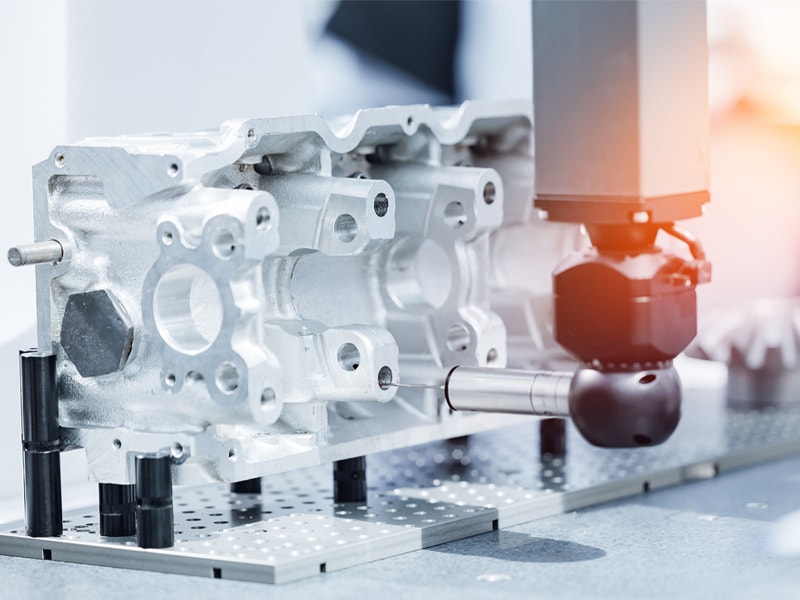
Holding a part in the correct position may sound simple, but in manufacturing, it can determine the success of an entire production run. When a component is being machined or inspected, the way it is held in the measurement system
influences how accurately the process can be performed. Fixturing helps define that relationship by positioning the workpiece in a controlled position during machining and inspection.
At each stage of the process, from machining to finishing and then into inspection, the piece must be presented to the equipment in a known orientation. Fixturing helps make this possible by guiding the part into position and holding it against a reference image while the operation takes place.
Inspection relies on the same principle as measurement: evaluating features relative to a defined coordinate system. If a part's position varies during inspection, measurement data comparison across batches is difficult. Fixtures reduce this variation by consistently aligning each component before inspection.
What Is Fixturing?
Fixturing refers to the method used to locate and secure a workpiece during machining or inspection operations. A fixture establishes the physical relationship between the part and the machine doing the work.
Locating pins and reference images helps guide components into position according to the datums defined on the original engineering drawing. Once the piece is seated against those references, the clamps hold it in place while the intended operation is carried out.
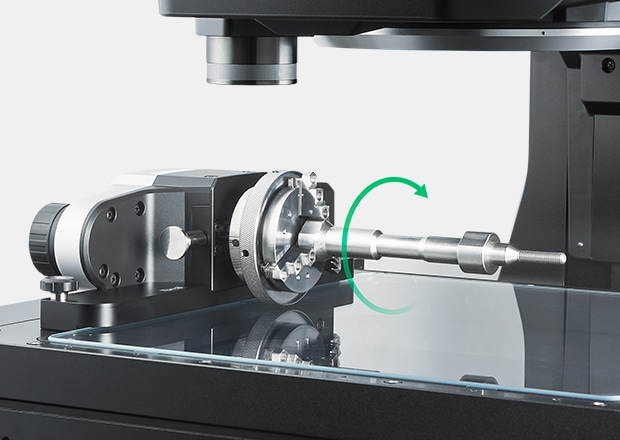
Fixtures appear in many manufacturing environments. Milling fixtures keep parts aligned with the coordinate systems of the machining center, so programmed toolpaths are able to interact with the correct surfaces. Turning relies on chucks or collets to hold the cylindrical material while it rotates on a spindle.
Differences Between Jigs and Fixtures
Jigs and fixtures are closely related tools, but they serve different roles.
A fixture holds the workpiece in position while machining occurs. Once clamped into place, the part remains stable while the machining tool cuts and removes material according to the programmed tool path.
A jig does that, and more. Alongside holding the part, it guides the cutting tool. Drill jigs are a great example of this, as guide bushings that are built into the jig are able to control the path of the drill bit and help maintain hole location from part to part.
Because of this difference, jigs are commonly used in operations where the tool path must be controlled mechanically. Fixtures are more common in CNC machining environments where the machine determines the motion of the cutting tool.
Round Part Fixturing Challenges
Cylindrical materials create a unique working environment for fixtures because they lack flat surfaces. Without controlled contact points, a round part can rotate or shift when handled.
Round part fixturing addresses this challenge as the round parts are usually held with chucks or collets that grip the outside diameter of a piece to help keep it centered on the spindle. Three-jaw lathe chucks are widely used in turning operations because the jaws move forward simultaneously, which allows the part to center itself during clamping.
Collet systems are another solution for round part fixturing, as the collet surrounds the outer diameter of the part and applies clamping force around the circumference. This approach supports strong concentric alignment when machining cylindrical components.
Some parts require a more specialized workhold. Components with irregular diameters, flanges, or extended features may not sit securely within standard chuck draws. Therefore, custom jaws or dedicated fixturing features may be needed to provide additional contact points that help stabilize support during machining.
Custom Fixturing for Precision Applications
While standard workholding suffices for many manufacturing operations, parts with unusual shapes, thin walls, or tight tolerances may require custom fixturing for reliable securement during machining.
The design process usually starts with the intended part drawing. Engineers review the datums on the print to help them understand how the component should be positioned during machining. These reference points help determine where the fixture will support the part and how it should be held by the machine.
Once the locating strategy has been established, the fixture is built to guide the part into position and then keep it stable. Locating pins, pads, or support points help seat the part against its reference surfaces while clamping holds it in place. Any additional supports may be added if the machining process creates vibration or if clamping pressure could distort the component.
Fixturing during Machining Processes
During machining, the part must remain still and stable. If there are any parts of the component that shift during processing, the finished dimensions may not match the drawing. Jigs fixturing helps maintain stability.
Fixtures position the part relative to the machine so that the programmed operation can proceed as expected. Once the piece is clamped against the location surface, it remains seated while the cutting tool follows its programmed path. Different workholding methods may be used, depending on the shape of the component. Flat parts are often supported by locating pads or surfaces, while cylindrical components rely on round part fixturing methods like a chuck or collet.
Inspection Fixtures and Quality Control
After manufacturing steps are complete, completed parts are then moved to inspection stations where their finished dimensions are verified.
Inspection fixtures support this stage as well by holding the component in a consistent position during measurements, as many measurement technologies depend on stable part orientation. Optical measurement systems, coordinate measuring machines, and digital inspection equipment all reference the position of the component during evaluation.
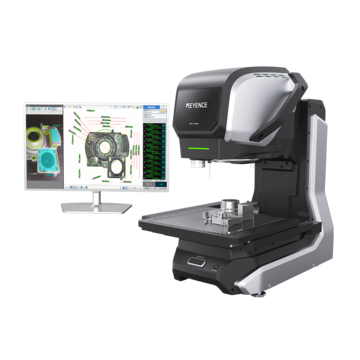
KEYENCE offers several solutions, like the IM-X1000 and the XM-5000, that can instantly analyze part geometry based on how the components appear within the measurement field. Some parts require dedicated inspection fixtures to achieve any stability, as many have angled surfaces or small details that can disappear if the part were to shift.
Improving Alignment and Repeatability
Alignment begins with the reference features defined on the engineering drawing. Fixtures interact with these reference points to guide the part into position so that locating pins and support pads can help seat the component for inspection.
Repeatability depends on maintaining this relationship from one part to the next. When each workpiece contacts the same reference surfaces, both manufacturing processes and inspection routines have to remain consistent.
Selecting the Right Workholding Solution
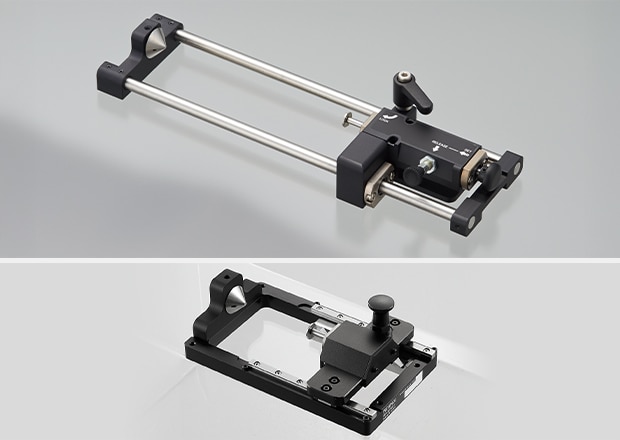
The fixturing method is determined by process need and on part geometry. Flat parts rest naturally against locating surfaces. Cylindrical components require round part fixturing that grips the part along its diameter.
Production volume also influences the voice of workholding solutions, and high-volume environments often rely on fixtures that allow parts to be loaded quickly between cycles.
Inspection requirements also affect fixture design. When dimensional verification occurs frequently, inspection fixtures that are designed for measurement systems can simplify the inspection workflow.
Discover advanced measurement solutions supported by precision fixturing designed to enhance accuracy and inspection reliability.